Gaming gifts can be personal: a favorite player may want a more comfortable desk, clearer chat, or a shared movie-and-game night.
These nine ideas span compact accessories and major setup upgrades, so consider how the recipient plays and what their space can support.
9 Gift Ideas for Gamers, From Desk Upgrades to Home Theater
SteelSeries Arctis Nova 7P Wireless Gaming Headset

- Neodymium magnetic drivers deliver a detailed soundscape.
- The 38-hour battery includes USB-C fast charging.
- A retractable microphone can be hidden for commuting.
Best Gift For: A gamer who switches between PlayStation, PC, Switch, VR, or mobile play.

SHOKZ OpenFit Open-Ear Bluetooth Earbuds

- The open-ear design uses a soft silicone cushion.
- Earhooks contour to the ears for a personalized fit.
- The charging case provides up to 28 hours of listening.
Best Gift For: A gamer who wants audio for commutes and active days while staying aware of their surroundings.
SteelSeries Apex Pro TKL Gaming Keyboard

- OmniPoint 2.0 switches offer adjustable actuation.
- Per-key actuation has 40 adjustment levels.
- A single key can be programmed for two actions.
Best Gift For: A PC gamer who wants to tailor key response for different actions.
SteelSeries Rival 5 Gaming Mouse

- The layout includes nine programmable buttons.
- Five side buttons offer quick actions.
- The optical sensor supports one-to-one tracking.
Best Gift For: A gamer who plays fast-paced FPS, MOBA, MMO, or battle royale titles.
FIFINE AmpliGame AM8 USB/XLR Gaming Microphone

- USB and XLR connections support different audio setups.
- A tap-to-mute control and gain knob are built in.
- RGB lighting can be changed with the RGB button over USB.
Best Gift For: A gamer who streams, records voiceovers, or chats from a desktop setup.
TP-Link Archer AXE75 WiFi 6E Gaming Router

- Tri-band WiFi 6E supports simultaneous browsing, streaming, and gaming.
- OFDMA technology increases capacity for connected devices.
- OneMesh can connect with a TP-Link OneMesh extender.
Best Gift For: A gamer looking to upgrade a home network used for gaming, streaming, and video calls.
HUANUO FlowLift Dual Monitor Desk Mount

- The arms fit screens from 13 to 32 inches with compatible VESA holes.
- Screens can tilt, swivel, and rotate for viewing adjustments.
- Built-in cable management guides wires along the arms.
Best Gift For: A gamer with two compatible monitors who wants more desk space and adjustable screens.
Audioengine A2+ Wireless Computer Speakers

- The compact powered speakers are designed for desktop listening.
- Bluetooth, USB-C, RCA, and 3.5mm AUX inputs offer connection options.
- Real wood cabinets are hand-finished.
Best Gift For: A gamer who also listens to music, podcasts, or movies at a desk.
Valerion VisionMaster Max 4K Laser Projector
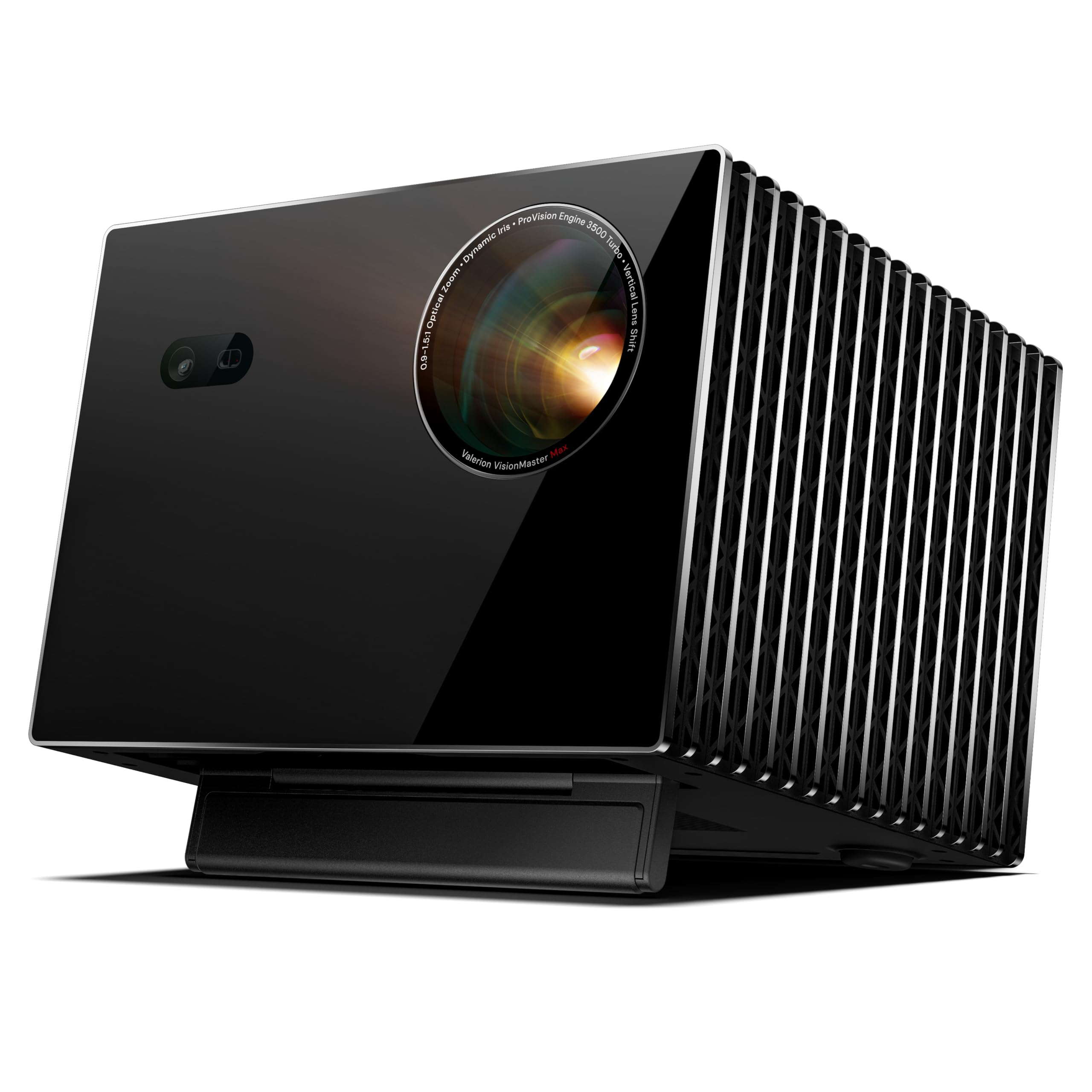
- Gaming Mode supports 4ms response at 240Hz.
- The projector supports a screen up to 300 inches.
- Built-in Google TV offers access to streaming apps.
Best Gift For: A gamer building a home theater for large-screen play and movie nights.
Choosing gifts for gamers around how they play
Start with the recipient’s everyday routine. Someone who plays online with friends may value comfortable audio and a clear microphone, while a player who spends long sessions at a desk may appreciate controls and screen placement that suit their setup.
A gift tied to how they actually play usually feels more personal than a generic gaming accessory.
Think about where gaming happens. A console player who moves between rooms has different needs from someone with a permanent PC station, and a shared household may benefit from an upgrade that supports several devices.
If you are unsure, ask what part of their setup they would most like to improve without giving away the surprise.
Room and equipment details matter for larger changes. Before choosing a desk mount, check the monitor’s mounting pattern and the desk’s construction and measurements.
For network or display equipment, confirm it can work with the recipient’s existing devices and home arrangement.
Balance the gift with the size of the upgrade
Set a comfortable spending limit before browsing. Small accessories can make a useful gesture when you know the recipient wants that specific kind of upgrade; larger equipment can be a shared gift from family or friends.
The right choice is the one that fits both the relationship and the recipient’s actual setup.
For gifts for gamers, think through the surrounding costs as well as the main item. A monitor support may need a compatible desk and screens, while a home theater upgrade can depend on the room and connected devices.
Check current prices and whether any extra pieces are needed before deciding what feels like a complete present.
When several people are contributing, agree on one useful upgrade and who will check compatibility. That avoids buying overlapping accessories and makes it easier to choose a meaningful item rather than stretching the budget for a feature the gamer may not use.
Personalize gifts for gamers with a setup detail
A small note can show that you paid attention: mention a game they enjoy, the friend group they play with, or a recent change to their setup. For gifts for gamers, personalization can be about the context of the gift, not adding decoration that might clash with a carefully arranged desk.
If you know their preferred colors or desk style, use that as a guide for visible accessories. For less visible equipment, focus on function and leave the choice of arrangement to them.
A card explaining why you picked the gift helps connect it to their interests without making assumptions about how they should use it.
Presentation can be simple. Keep manuals, cables, and any included accessories together, and wrap the item in a way that protects it.
For a larger present, a printed picture or a note in a small box can make the reveal feel special without requiring the recipient to reorganize the room immediately.
Make the gift feel complete
Consider whether the recipient will want to set up the gift right away or save it for a free weekend. A compact accessory can be easy to open and try, while a desk or theater upgrade may need time, tools, or a second person.
A short note offering help with setup can be thoughtful if they would welcome it.
Before ordering, review current product details, compatibility, and dimensions. Check that the gift suits their computer or console, available desk or room space, and the connections they use.
For equipment that relies on another device or network, confirm the full setup can work together.
If you are choosing close to a celebration, check delivery estimates at checkout and allow time for the recipient to inspect the fit. Avoid promising a particular arrival date unless the order confirms it.
A printable card explaining the planned gift can preserve the moment if the item is still on its way.
Last-minute buying advice for a gaming gift
For a late purchase, choose something whose fit is easier to verify or whose use is flexible. If you are uncertain about a high-impact upgrade, ask a trusted friend or family member who knows the recipient’s devices and space.
That quick check can save a well-meant gift from becoming a project.
Read the current compatibility notes and dimensions before checkout, especially for equipment that attaches to a desk, connects to a network, or pairs with another device. Product details and delivery estimates can change, so verify both when you place the order rather than relying on an old note or assumption.
When timing is tight, wrap a card describing the gift and give the recipient the chance to choose a suitable version or setup time. Keep the receipt and packaging until they have confirmed it works with their equipment.
Practical flexibility can make a substantial gift easier to enjoy.