The best microphones for video calls make it easier to speak clearly, manage interruptions, and avoid relying on a laptop mic. Choose a microphone setup with USB connectivity, hands-on mute and gain controls, or flexible pickup patterns for solo calls and shared conversations.
Quick Top Products
FIFINE K683A USB Desktop Microphone

- USB plug-and-play works with USB-A or USB-C computers, Mac, and PS4.
- Gain and mute controls are built into the mic.
- It includes a headphone jack and detachable pop filter.
Best For: People who want a desktop USB mic with mute, gain, and headphone monitoring within reach.

FIFINE K669B USB Microphone

- It connects directly to a USB-A port and includes a 5.9-foot cable.
- A volume knob is built into the microphone.
- Cardioid pickup focuses on the voice in front.
Best For: A home or office caller seeking a straightforward USB mic with a physical volume knob.
MAONO DGM20 USB Gaming Microphone
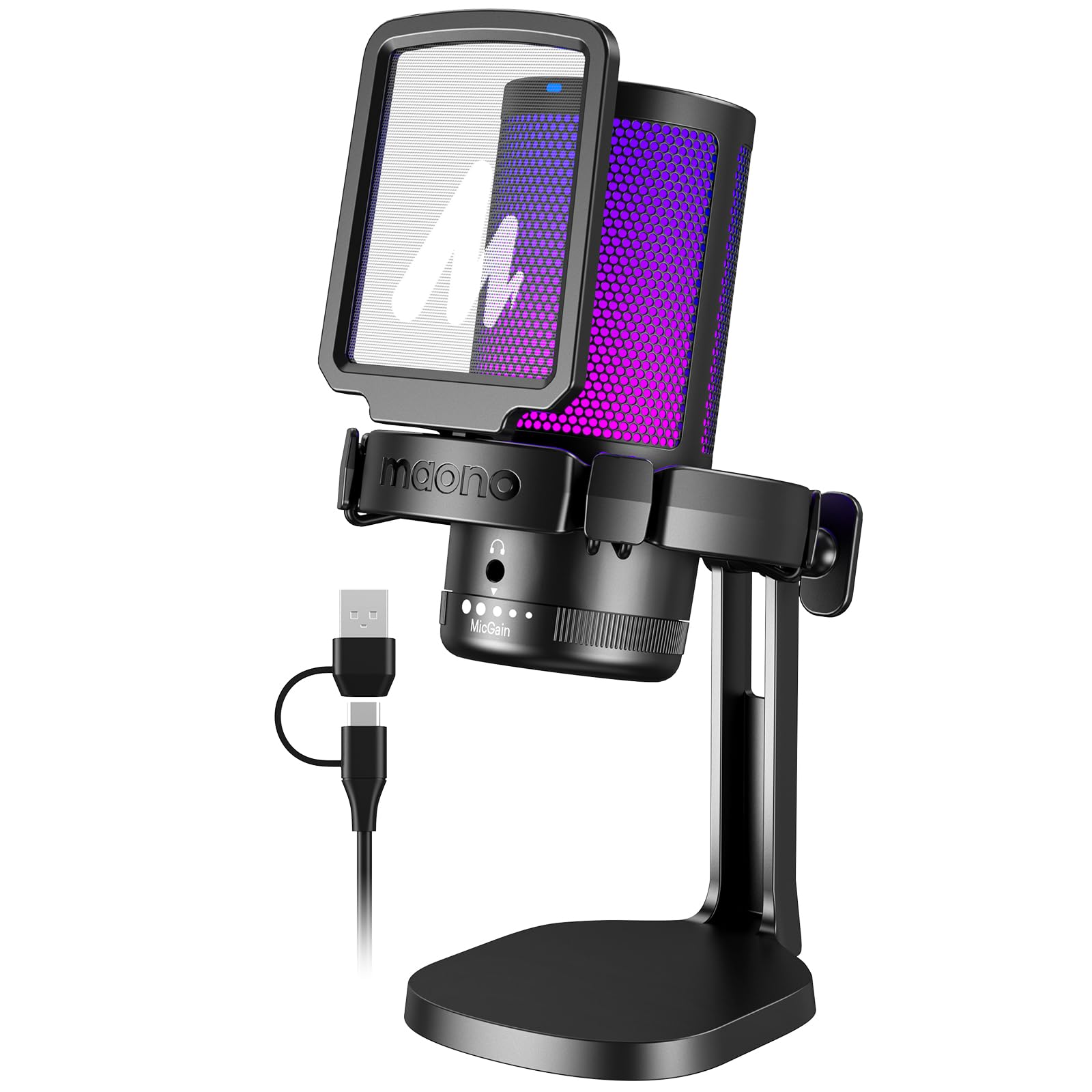
- It has a one-click mute function and gain control.
- The headphone jack supports real-time, zero-latency listening.
- Software smart noise cancellation is available on Windows.
Best For: Callers who want a USB mic with quick mute, headphone monitoring, and optional Windows noise cancellation.
FIFINE AmpliGame AM8T XLR/USB Microphone Set
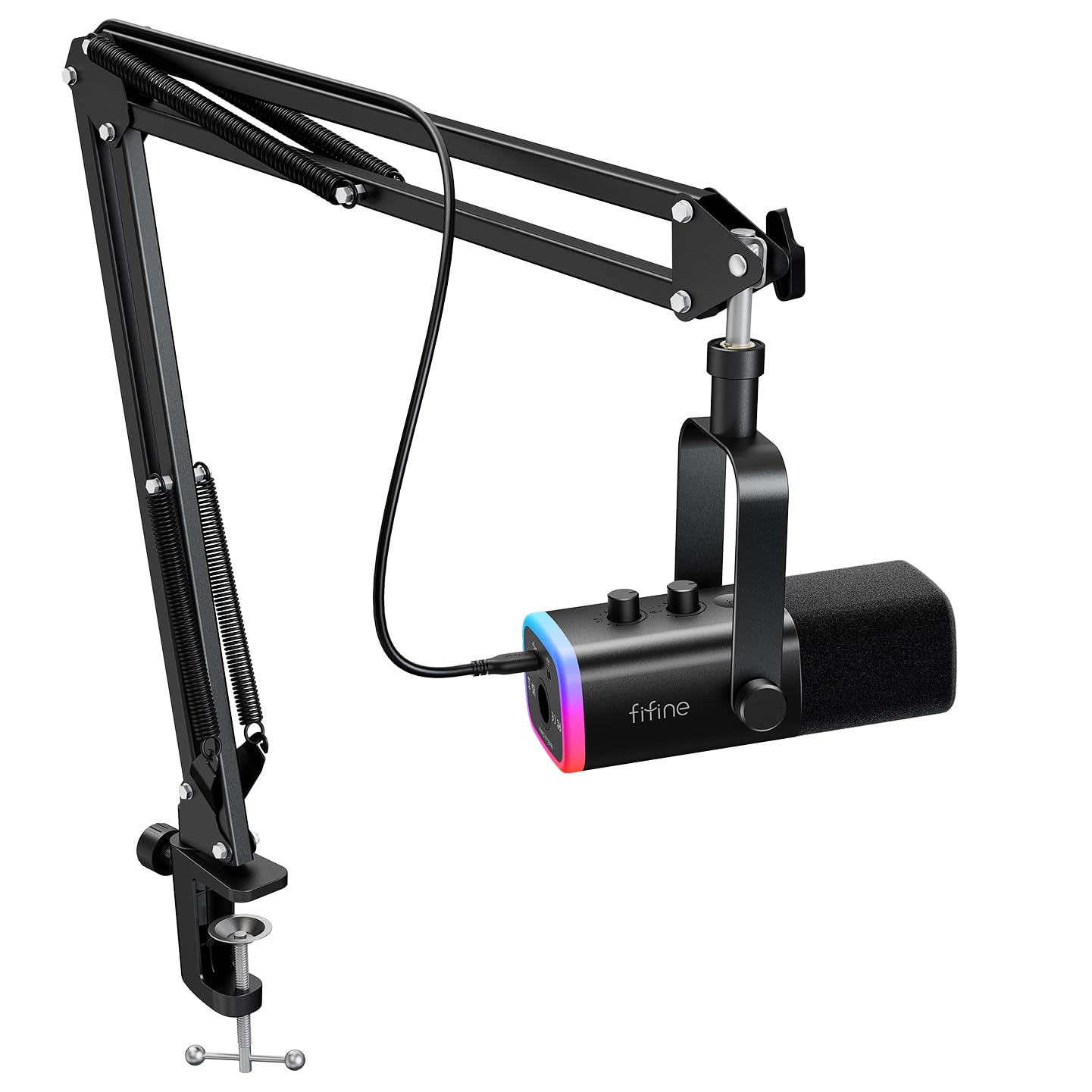
- The kit includes a boom arm stand and supports USB or XLR.
- It includes a mute button, gain knob, and headphone jack for real-time monitoring.
- The clamp fits a desktop under 2 inches thick.
Best For: Desk callers who want a boom arm, USB call controls, and an XLR connection option.
MAONO PD400X Dynamic Microphone
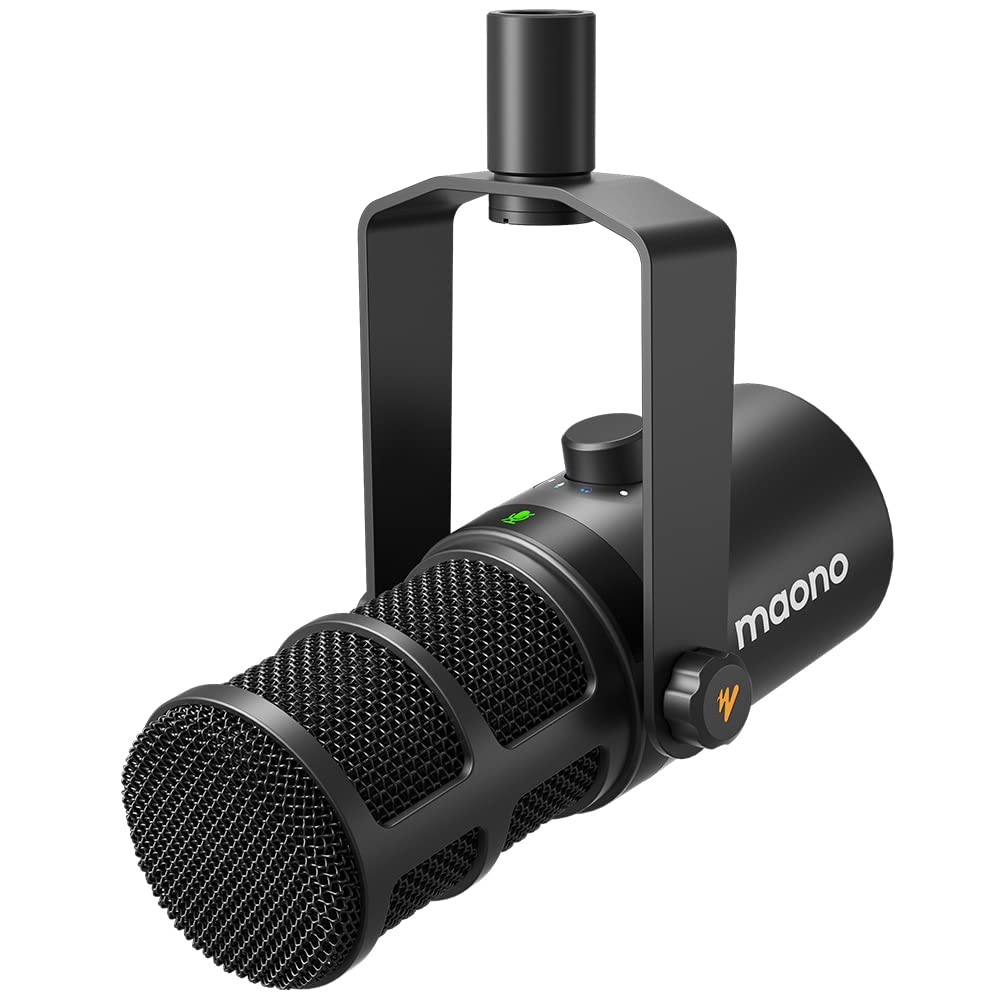
- Its digital knob controls gain, headphone volume, and monitor mix.
- MAONO Link software includes EQ, limiter, and compressor options.
- It supports USB and XLR output.
Best For: Callers who want USB controls and software options, with an XLR output available for future setups.
MAONO PD200XS Dynamic Microphone Kit
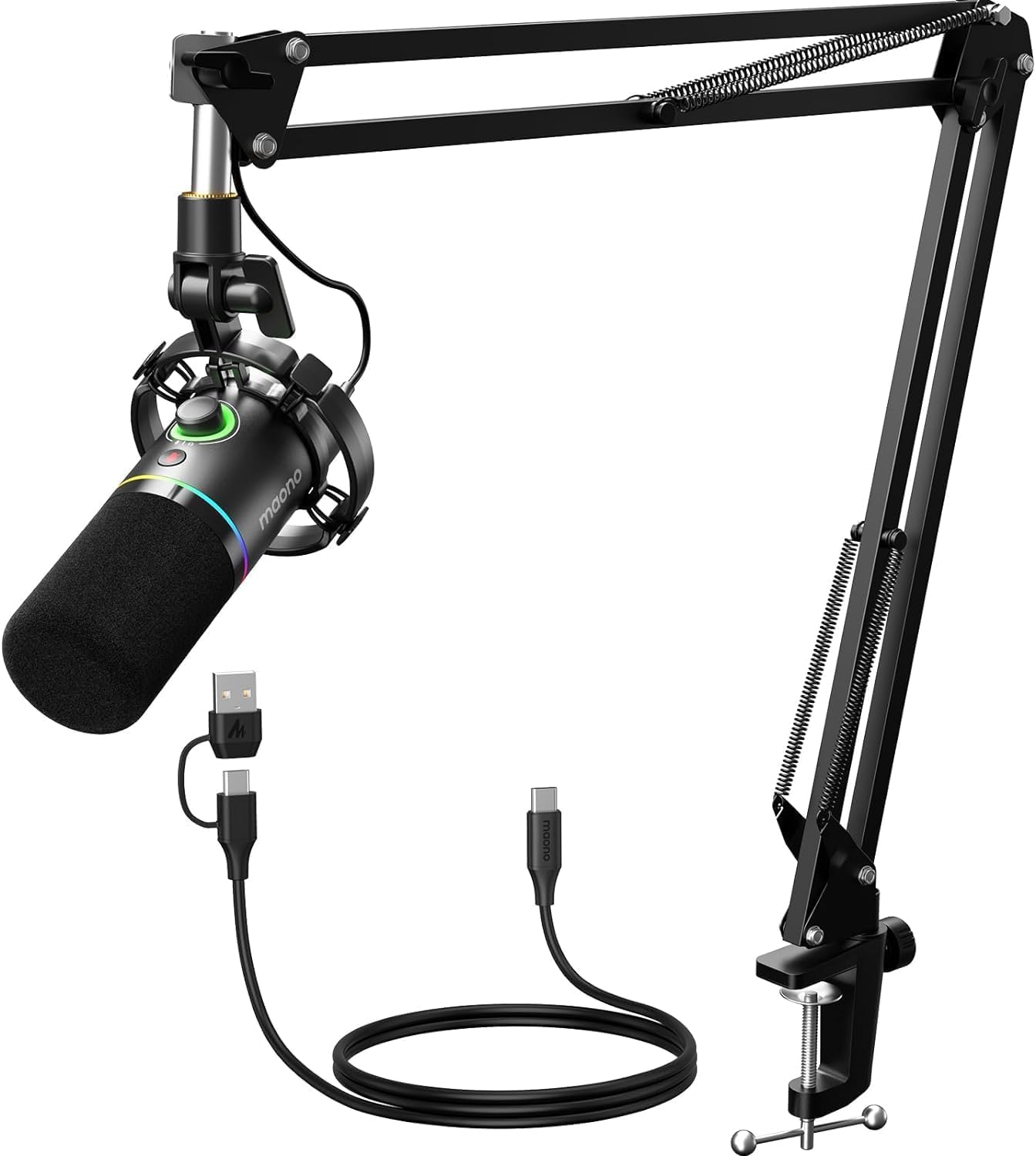
- It includes a boom arm and supports USB and XLR.
- The one-click mute key has an LED indicator.
- USB software provides EQ, limiter, and compressor adjustments.
Best For: Callers who want a boom arm, mute and monitoring controls, plus optional software tuning.
Samson Q9U XLR/USB Microphone
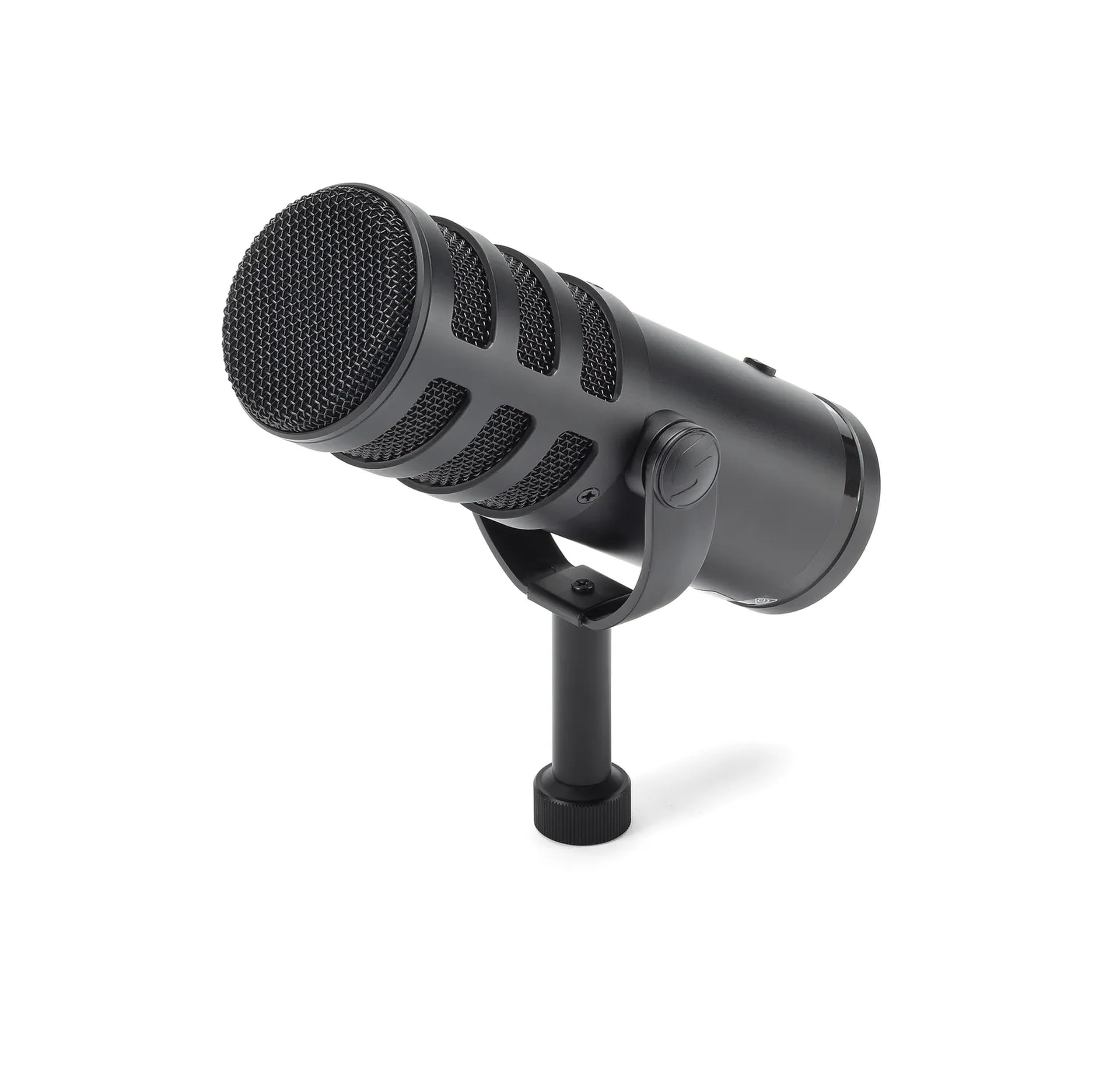
- It supports USB-C and XLR connections.
- USB recording supports 24-bit/96kHz resolution and zero-latency monitoring.
- The mute switch silences both USB and XLR outputs.
Best For: Callers who want a dynamic broadcast microphone with USB-C, XLR, and zero-latency monitoring.
Samson Meteor Mic USB Condenser
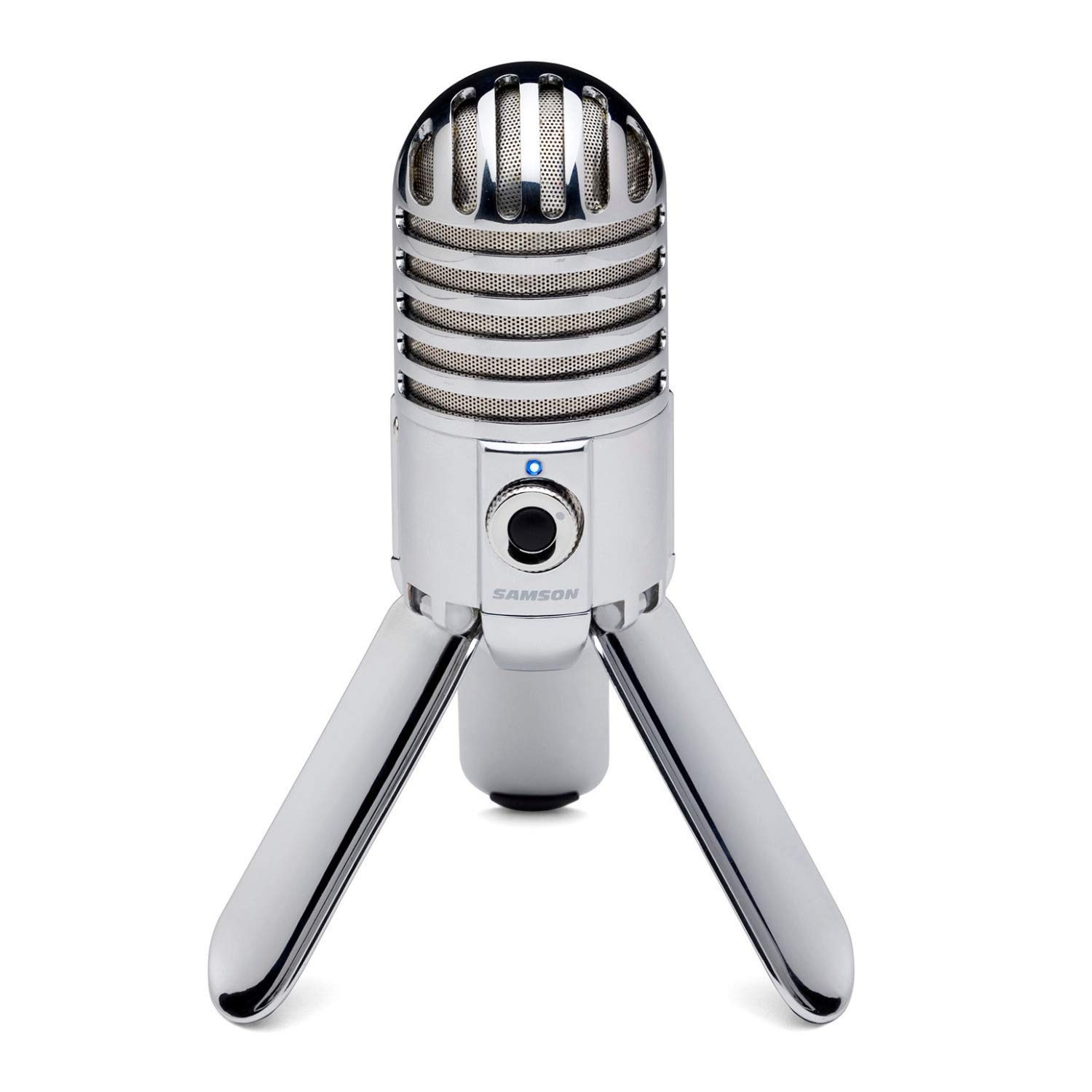
- Fold-back legs support positioning and fold for transport.
- It has zero-latency headphone monitoring with level control.
- Its cardioid pattern captures sound from the front.
Best For: People who want a USB desktop mic that folds for storage and has direct headphone monitoring.
JLab Talk USB Microphone
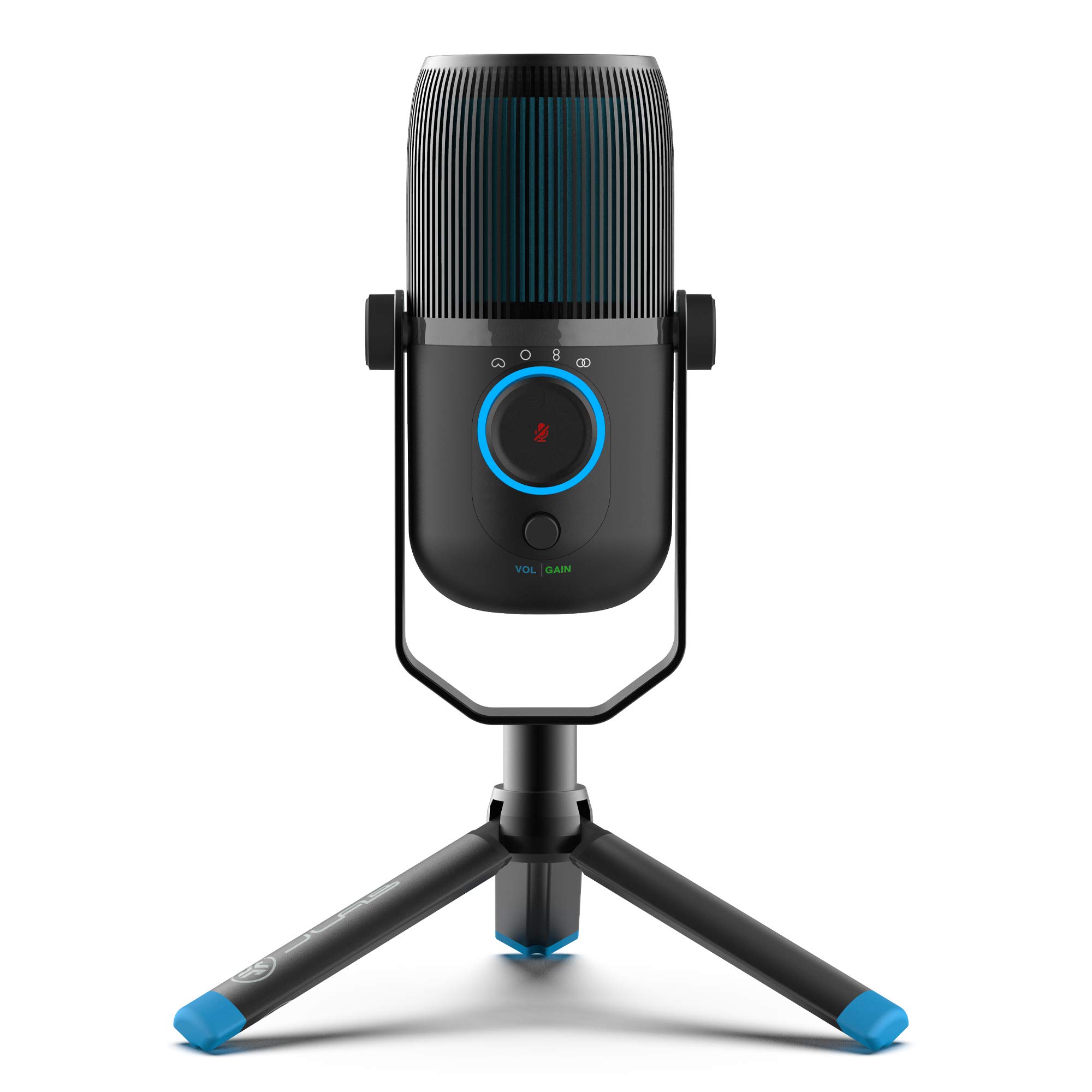
- It offers cardioid, omnidirectional, stereo, and bidirectional modes.
- Gain and volume controls are included, along with real-time headphone listening.
- It is plug-and-play and uses a USB/USB-C cable.
Best For: Solo callers or small meeting hosts who may want to switch between focused and shared pickup patterns.
Best for Meeting Controls
FIFINE USB Desktop PC Microphone with Pop Filter for Computer and Mac, Studio Condenser Mic with Gain Knob Mute Button Headphone Jack for Gaming Streaming Recording YouTube, Extra USB-C Plug-K683A
The FIFINE K683A brings useful call controls onto a desktop microphone: a gain knob for input adjustment, an instant mute button, and a headphone jack for real-time monitoring. Its cardioid condenser design focuses on sound from the front, making it a practical fit for a single speaker at a desk.
Setup is straightforward with USB-A or USB-C compatible computers, Mac, and PS4, with no extra driver required. A foldable tripod stand and detachable pop filter are included.
The main limitation for a crowded desk is that it sits on its stand rather than reaching over the work area on an arm.
Best For: People who want a desktop USB mic with mute, gain, and headphone monitoring within reach.
| Pros | Cons |
|---|---|
|
|
Choose the K683A if call convenience matters more than clearing the desk surface. Its controls and monitoring jack support quick adjustments, and the pop filter is included.
Check that the mic's front-facing pickup suits your desk position, and leave room for its tripod. It can connect over USB-A or USB-C, which is useful across computer setups.
Best Simple Budget USB Pick
FIFINE USB Microphone, Metal Condenser Recording Microphone for MAC OS, Windows, Cardioid Laptop Mic for Recording Vocals, Voice Overs, Streaming, Meeting and YouTube Videos-K669B
The FIFINE K669B is a compactly equipped option for callers who want a direct USB connection and basic level control. Its cardioid condenser capsule focuses on the voice in front, while the volume knob allows louder or quieter adjustment on the microphone itself.
A stable tripod stand keeps setup simple without needing a desk clamp or boom arm. The mic is USB powered, and the notes identify compatibility with desktop and laptop computers as well as PS4 and PS5.
It is not compatible with phones or Xbox, so check the intended call device before choosing it.
Best For: A home or office caller seeking a straightforward USB mic with a physical volume knob.
| Pros | Cons |
|---|---|
|
|
The K669B suits a caller who wants a basic desktop microphone and a volume knob without a larger arm assembly. Its front-facing cardioid pickup makes placement relevant: keep the speaking side aimed toward you.
The USB-A connection and stated computer compatibility cover common desk setups, but verify your device has a supported connection. Choose another option if headphone monitoring or a dedicated mute control is essential.
Best for Software Noise Control
MAONO USB Gaming Microphone for PC, Noise Cancellation Condenser Mic with RGB, Mute, Gain, Computer Desk Mic for Streaming, Podcast, Chat, Twitch, YouTube, Discord, PS5, PS4, GamerWave DGM20 Black
The MAONO DGM20 combines plug-and-play USB setup with controls suited to frequent calls. It has a one-click mute function, a gain knob, and a 3.5 mm headphone monitoring jack for real-time listening.
Its cardioid pattern focuses on sound from the front, and a separate noise cancellation function can be switched on or off; the software-based smart noise cancellation is limited to Windows. The included USB and USB-C cable supports PCs, laptops, Macs, and PS5 among other compatible devices.
Its RGB lighting is optional visual styling rather than a call feature, so the practical draw is the control layout.
Best For: Callers who want a USB mic with quick mute, headphone monitoring, and optional Windows noise cancellation.
| Pros | Cons |
|---|---|
|
|
Pick the DGM20 if you want onboard call controls and the option to try software noise cancellation on a Windows computer. Its USB connection supports several common devices, while the cardioid pattern favors a solo speaker positioned in front of the mic.
Before buying, check whether your operating system supports the noise cancellation feature you want, and confirm the included mounting arrangement fits your desk.
Best for Adjustable Desk Placement
FIFINE XLR/USB Gaming Microphone Set, Dynamic PC Mic for Streaming Podcasting, Computer RGB Mic Kit with Boom Arm Stand, Mute Button, Headphones Jack, for Recording Vocal Voice-Over-AmpliGame AM8T
The FIFINE AmpliGame AM8T pairs a dynamic USB/XLR microphone with a boom arm stand, making it easier to bring the mic toward the speaker and move it aside when finished. In USB mode, it offers a mute button, gain knob, headphone jack, and headphone volume control for call adjustments and monitoring.
Its cardioid pattern is intended to limit background pickup, and the windscreen helps reduce plosive sounds. The kit is plug-and-play over USB for a PC without extra drivers.
The XLR cable is not included, and the desk clamp fits desktops under 2 inches thick, so check both requirements.
Best For: Desk callers who want a boom arm, USB call controls, and an XLR connection option.
| Pros | Cons |
|---|---|
|
|
Choose the AM8T set if you want to move the microphone into speaking position without keeping a desktop base in front of you. Its USB controls are convenient for calls, while XLR gives it another connection path for compatible equipment.
Measure your desk edge against the clamp limit and budget for an XLR cable if you intend to use that connection.
Best for Custom USB Audio Settings
MAONO Dynamic Microphone, USB/XLR Podcast PC Microphone with Software, EQ,Tap-to-Mute, Headphone Jack, Gain Knob & Volume Control, Studio Mic for Broadcast, Recording, Streaming & Gaming (PD400X)
The MAONO PD400X is a dynamic USB/XLR microphone with a control set aimed at people who like to tune their sound. Its 3-in-1 digital knob adjusts mic gain, headphone volume, and monitor mix, while a touch mute key has an LED indicator.
Over USB, MAONO Link adds standard and advanced modes with options including EQ, limiter, and compressor adjustments. The USB connection is plug-and-play, and XLR can connect to a professional interface, mixer, or portable PA system.
The records do not identify a stand or cable package, so check what mounting accessories you need for a comfortable video-call position.
Best For: Callers who want USB controls and software options, with an XLR output available for future setups.
| Pros | Cons |
|---|---|
|
|
The PD400X is a fit for callers who want more control over their USB sound and may later use an audio interface or mixer. Its combined dial can adjust several listening and input settings, and the app offers deeper processing choices in USB mode.
Check the included accessories and your desk placement needs before choosing it, since no stand or mounting setup is identified here.
Best Arm Kit with Software Controls
MAONO XLR/USB Dynamic Microphone Kit, RGB Podcast Mic with Software, Mute, Gain Knob, Volume Control, Boom Arm for Streaming, Gaming, Voice-Over, Recording-PD200XS Black
The MAONO PD200XS includes a boom arm and offers USB and XLR connections, giving it a useful mix for desk calls and later audio setups. In USB mode, its smart knob adjusts mic gain and headphone volume, and a one-click mute key has an LED indicator.
A 3.5 mm headphone jack supports simultaneous recording and monitoring. MAONO Link software adds EQ, limiter, and compressor adjustments in USB mode.
The dynamic cardioid mic is intended to emphasize vocals and reduce unwanted background pickup. An XLR cable is not included, so plan for one if you want to use the analog connection.
Best For: Callers who want a boom arm, mute and monitoring controls, plus optional software tuning.
| Pros | Cons |
|---|---|
|
|
Choose the PD200XS if you want a complete arm-based desk setup and the ability to tune sound through software while connected by USB. Its mute, monitoring, and gain controls are useful during calls, and XLR remains an option for a different setup.
The XLR cable is a separate requirement, and software processing will not carry over to XLR use.
Best Broadcast-Style USB/XLR Option
SAMSON Q9U XLR/USB Dynamic Broadcast Microphone
The Samson Q9U combines USB-C and XLR connections with features useful for both calls and longer spoken sessions. Its cardioid pattern keeps attention on sound from the front, while the internal pneumatic shock mount and dual-layer windscreen address mechanical noise and plosives.
Over USB, it supports 24-bit/96kHz digital audio and zero-latency headphone monitoring; an onboard mute switch silences both USB and XLR outputs. It can connect directly to a Mac or Windows computer without driver downloads.
This is a more involved choice than a basic desktop USB mic, so check the stand or mounting arrangement needed for your desk.
Best For: Callers who want a dynamic broadcast microphone with USB-C, XLR, and zero-latency monitoring.
| Pros | Cons |
|---|---|
|
|
The Q9U suits someone who wants a single microphone that can connect by USB-C now and XLR in a more elaborate setup later. Its onboard mute affects either connection, and headphone monitoring is included for USB use.
Before buying, verify mounting and cable needs for your desk. The model's dynamic, cardioid format is most useful when you can speak toward its front.
Best Fold-Away Desktop Mic
Samson Meteor Mic USB Condenser Podcasting Podcast Recording Desktop Microphone
The Samson Meteor is a desktop USB condenser microphone with fold-back legs that provide positioning support and fold up for transport or storage. Its cardioid pickup pattern is aimed at sound in front of the mic, and a 1/8-inch stereo headphone output with level control supports zero-latency monitoring.
The metal construction and flat 20Hz–20kHz frequency response are also specified. It can work with an iPad using Apple's Lightning USB Camera Adapter or a Camera Connection Kit.
No dedicated mute or gain control is identified, so it is a more hands-off choice during active video calls than models with prominent call buttons.
Best For: People who want a USB desktop mic that folds for storage and has direct headphone monitoring.
| Pros | Cons |
|---|---|
|
|
The Meteor is a practical pick for a desk that sometimes needs to be cleared, since its support legs fold up. It also offers headphone monitoring without requiring a separate interface.
Choose it when portability and simplicity matter more than quick mute or gain adjustments. Check how the USB connection fits your computer or tablet setup, especially if using an iPad adapter.
Best for Flexible Call Pickup
JLab Talk USB Microphone, USB-C Output, Cardioid, Omnidirectional, Stereo or Bidirectional, 96k Sample Rate, 20Hz, 20kHz Frequency Response, Volume, Gain Control, Quick Mute, Plug & Play
The JLab Talk stands out for giving users four pickup pattern modes: cardioid, omnidirectional, stereo, and bidirectional. That range can suit solo calls as well as conversations where more than one person needs to be heard, though the mic's placement and chosen mode will matter.
It connects by USB or USB-C, is plug-and-play without drivers, and includes gain and volume controls plus a 3.5 mm AUX input for zero-latency listening. A standard 5/8-inch input supports swivel mounting to a compatible stand or tripod.
The records do not identify a mute button or bundled stand, so confirm those details if needed.
Best For: Solo callers or small meeting hosts who may want to switch between focused and shared pickup patterns.
| Pros | Cons |
|---|---|
|
|
Pick the Talk if call arrangements vary and you want to choose a pickup pattern for each situation. Cardioid is the listed option for focusing on a primary speaker, while omnidirectional or bidirectional modes may fit shared voices.
It also gives direct gain, volume, and monitoring controls. Check what stand you already own, since its mounting input is specified but an included support is not.
How to Choose Microphones For Video Calls
How We Picked Microphones for Video Calls
This roundup favors microphones with a practical computer connection and features that make meetings easier: direct USB setup, accessible mute or gain controls, headphone monitoring, and a pickup pattern suited to the speaker. It includes compact desktop choices for uncomplicated calls, arm-mounted kits for adjustable placement, and USB/XLR models for people who may later connect an interface or mixer.
The selection also accounts for different desks and meeting styles. A cardioid mic is a natural fit for one person speaking from the front, while a microphone with several pickup modes can adapt to shared conversations.
Bundled stands and arms matter because they affect reach, occupied desk space, and what else must be purchased. Gaming-oriented models made the cut only when their controls or connectivity also serve ordinary calls.
Comparing Microphones for Video Calls
The easiest choices to set up are USB desktop mics such as the FIFINE K669B and K683A. The K669B keeps things simple with a tripod and volume knob; the K683A adds mute and headphone monitoring.
The MAONO DGM20 also connects over USB, with one-click mute, gain, monitoring, and Windows-only smart noise cancellation software.
Boom arms change the fit more than RGB lighting does. The FIFINE AM8T and MAONO PD200XS can be brought toward the speaker and moved aside, while the desktop models rest on the work surface.
For future audio expansion, USB/XLR microphones such as the AM8W, AM8T, PD200XS, PD400X, and Samson Q9U offer a path to a mixer or interface. Check whether their controls work over the connection you plan to use; some software and onboard controls are USB-only.
The Samson Meteor and JLab Talk serve different desk needs. The Meteor folds up and provides headphone monitoring, while the JLab offers four pickup patterns for individual or shared calls.
The Talk's mount input is specified, but a stand is not; account for that when comparing it with mics that come with a tripod or arm.
| Product | Standout features | Best for |
|---|---|---|
| FIFINE K683A USB Desktop MicrophoneCheck Price |
| People who want a desktop USB mic with mute, gain, and headphone monitoring within reach. |
| FIFINE K669B USB MicrophoneCheck Price |
| A home or office caller seeking a straightforward USB mic with a physical volume knob. |
| MAONO DGM20 USB Gaming MicrophoneCheck Price |
| Callers who want a USB mic with quick mute, headphone monitoring, and optional Windows noise cancellation. |
| FIFINE AmpliGame AM8T XLR/USB Microphone SetCheck Price |
| Desk callers who want a boom arm, USB call controls, and an XLR connection option. |
| MAONO PD400X Dynamic MicrophoneCheck Price |
| Callers who want USB controls and software options, with an XLR output available for future setups. |
| MAONO PD200XS Dynamic Microphone KitCheck Price |
| Callers who want a boom arm, mute and monitoring controls, plus optional software tuning. |
| Samson Q9U XLR/USB MicrophoneCheck Price |
| Callers who want a dynamic broadcast microphone with USB-C, XLR, and zero-latency monitoring. |
| Samson Meteor Mic USB CondenserCheck Price |
| People who want a USB desktop mic that folds for storage and has direct headphone monitoring. |
| JLab Talk USB MicrophoneCheck Price |
| Solo callers or small meeting hosts who may want to switch between focused and shared pickup patterns. |
Choosing a USB Desk Microphone for Meetings
For routine one-to-one calls, consider how you will position the mic before comparing extra features. A front-facing cardioid pattern works best when the speaking side can face you.
A small tripod is easy to set down but occupies desk space; an arm can clear that surface and bring the capsule closer, though it needs a suitable edge for its clamp.
A physical mute control is handy when calls include interruptions or side conversations. The K683A, DGM20, AM8T, PD200XS, and Q9U provide mute functions, but their connection modes differ.
Headphone monitoring also varies: the K683A and DGM20 include a 3.5 mm jack, while the JLab Talk has an AUX input for real-time listening. Check that monitoring method against your headphones and device setup.
A simple USB mic can be the sensible choice when you only need voice pickup for a computer call. Check compatibility and cable type, especially when switching between USB-A and USB-C devices.
The K669B explicitly excludes phones and Xbox; the DGM20 includes a USB and USB-C cable and identifies several computer and console connections.
Which Call Microphone Fits Your Desk?
Choose a tripod model if you want a self-contained setup that can be moved between work spots. Consider an arm kit if the desk surface is crowded or you want to move the microphone out of the way after calls.
For the AM8T, the clamp is intended for desks under 2 inches thick; measure the edge before ordering. Also confirm whether a cable, stand, or arm is included when those details are not identified.
Think about whether calls are always one-to-one. A focused cardioid pickup is appropriate for a solo speaker positioned in front of the mic.
If you sometimes host a small shared conversation, the JLab Talk's omnidirectional, stereo, and bidirectional modes offer more choices. Mode selection and mic placement still matter, so a flexible pattern is most helpful when your meeting arrangement changes.
Who Should Buy What for Video Calls
Choose the FIFINE K683A for handy mute, gain, and monitoring in a straightforward desktop USB setup. The K669B suits callers who want a simpler microphone with a volume knob and tripod.
The MAONO DGM20 is a fit for people who want the option of Windows noise cancellation software and real-time monitoring.
Choose the FIFINE AM8T or MAONO PD200XS if arm positioning matters; the latter adds MAONO Link sound adjustment in USB mode. The JLab Talk suits people who need several pickup modes, and the Samson Meteor fits a desk that benefits from folding storage.
Consider the Q9U, PD400X, or AM8W if you expect to use USB now and may want an XLR connection later. Before ordering, match the connection, mounting hardware, and control features to your computer and call setup.